 Rotimi Best
06c3a7feba
Rotimi Best
06c3a7feba
* feat(ui): add Page.SettingsActions for settings save bar

Introduce a sticky bottom save/discard bar on Page and migrate settings
pages to use it instead of header or inline save buttons. Includes
profile, org, customize-lms, notifications, auth, AI tutor, course
settings, certificates, and cohort settings.

Co-authored-by: Rotimi Best <rotimi-best@users.noreply.github.com>

* fix(ui): always show Page.SettingsActions, disable when clean

Keep the settings save bar visible at all times and disable Save and
Discard when hasChanges is false instead of hiding the bar entirely.

Co-authored-by: Rotimi Best <rotimi-best@users.noreply.github.com>

* fix(ui): add bottom spacing and shadow to Page.SettingsActions

Wrap the actions card in a sticky container with bottom padding so it
does not sit flush against the viewport edge, and use shadow-md on the
card for clearer elevation.

Co-authored-by: Rotimi Best <rotimi-best@users.noreply.github.com>

* fix(ui): stop viewport-sticking Page.SettingsActions on scroll

Remove sticky bottom positioning so the save bar stays at the end of the
page content and scrolls away when viewing upper sections.

Co-authored-by: Rotimi Best <rotimi-best@users.noreply.github.com>

* fix(ui): use sticky bottom for Page.SettingsActions dock behavior

Replace the IntersectionObserver fixed/dock toggle that caused layout
thrashing and flipping with native position: sticky; bottom: 0. Move
overflow-x-hidden from Page.Root to Page.Body so sticky is not broken.

Co-authored-by: Rotimi Best <rotimi-best@users.noreply.github.com>

* fix(ui): keep Page.SettingsActions sticky and above editor content

Page.Root carried md:overflow-x-auto, which makes overflow-y compute to
auto, turning the root into the sticky bar's nearest scrolling ancestor.
Since the root sizes to its content it never scrolls internally, so the
bar rendered at its natural flow position instead of pinning to the
viewport. Drop the overflow so sticky resolves against the viewport;
horizontal containment stays on Page.Body.

Raise the bar to z-50 so it is not painted over by the editor root,
which is relative z-50. Matching rather than exceeding 50 keeps
body-portaled dialogs and sheets above the bar.

Show the shadow only while the bar is pinned away from its flow
position, tracked with an IntersectionObserver on a 1px sentinel
sibling. Unlike the previous observer this toggles a box-shadow only, so
it cannot feed back into layout.

* fix(ui): tighten settings actions spacing and tab visibility

- Remove mt-6 and lower z-index so popovers sit above the bar
- Wrap sentinel in a single root to avoid extra Page.Root flex gap
- Remove Page.Body mb-4 redundant with settings actions spacing
- Show certificate save bar only on the settings tab
- Raise theme color picker z-index via --picker-z-index

Co-authored-by: Rotimi Best <rotimi-best@users.noreply.github.com>

* fix(dashboard): address PR review feedback for settings actions

- Capture profile/org saved baselines only on initial load, not on edits
- Reset course settings errors with explicit field shape in handleDiscard
- Restore VisitOrgSiteButton on org profile settings header
- Derive AI tutor dirty state from stores directly instead of mirrored state
- Use discard-specific French label and document SettingsActions props

Co-authored-by: Rotimi Best <rotimi-best@users.noreply.github.com>

* docs(ui): clarify Page.Root ownership for Page.SettingsActions

"Last child of Page.Root" is a runtime relationship. Several settings
pages get their Page.Root from a +layout.svelte, so the page file holds
only Page.Header, Page.Body, and Page.SettingsActions. Document that this
is correct and list the pages, since adding a nested Page.Root stacks two
min-height containers and shortens the sticky bar's containing block.

Also document that Page.SettingsActions must never be rendered from
inside Page.Body: overflow-x-hidden makes Page.Body a scroll container
that never scrolls, so a sticky bar in it has no travel.

---------

ClassroomIO
The Open Source Teaching Platform for Bootcamps
Website | Join Discord community
✨ About ClassroomIO
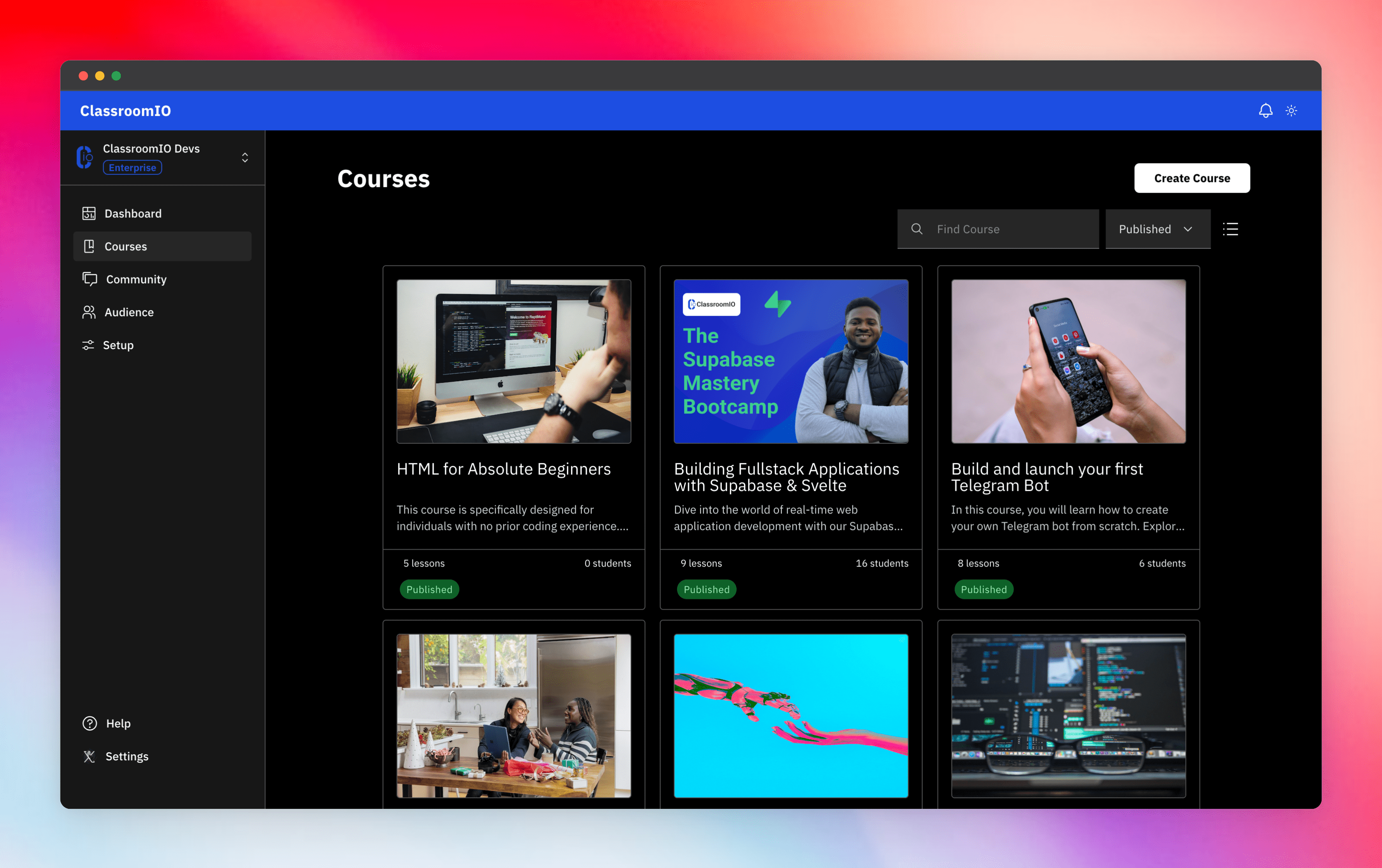
Streamline training for everyone with ClassroomIO.com. Our all-in-one platform empowers bootcamps, educators, and businesses to manage training programs easily. With our platform, anyone can run multiple classes and cohorts all from one UI. The application is mobile-first, which means that students can access your lesson materials from any device.
Mission: Provide Students with the best learning experience
At ClassroomIO, our mission is to provide students with the best possible learning experience. We believe in empowering educators with the tools they need to deliver high-quality education that is accessible, engaging, and effective.
Key Features
- 📚 Advanced Course Management: You can create unlimited courses, create lessons, invite students, add assignments, grade their assignments, and even generate certificates.
- 👨👩👦 Multi-Teacher Management: You can invite other teachers into your organization and assign them individual courses.
- 🤖 AI Integration: We've got OpenAI integration for quick course creation where you can generate course content, lesson outlines, and even generate assignments right from your lesson notes.
- 💬 Forum: Students can ask questions in your dedicated community and get answers from either you or other students.
- 🏆 Kahoot-Like Quiz: You can create live quizzes to create more engagement in your classrooms.
- 💻 Dedicated Student Dashboard: Once you create an account, you get a dedicated dashboard where your students can access all their courses, assignments, and more.
- 🔒 Fully open source: You can self-hostable the whole stack on your servers.
Roadmap Features
- Forms: Instead of using Google Forms to collect vital information from your students, you will be able to create forms directly within the dashboard.
- Course Announcement: You can make public announcements from the course dashboard to all your students.
- Course Templates: You can clone a full course or share templates with other people.
- Analytics: You can track data about your students across multiple courses.
- Run Courses on Messengers: Students can just join a channel on slack/discord/telegram and a bot automatically sends daily lesson content to your students without you doing anything.
Please reach out to me on twitter if you have any feature request.
Built With
Get a Demo
You can book a quick 15 min demo to see if ClassroomIO is a good fit for you

Getting Started
To get a local copy up and running, please follow these simple steps.
Prerequisites
Here is what you need to be able to run Cal.com.
Development
Setup
-
Clone the repo
git clone https://github.com/rotimi-best/classroomio.git -
Go to project folder
cd classroomio -
Setup Node If your Node version does not meet the project's requirements as instructed by the docs, "nvm" (Node Version Manager) allows using Node at the version required by the project:
nvm useYou first might need to install the specific version and then use it:
nvm install && nvm useYou can install nvm from here.
-
Set up your
.envfile- Duplicate
.env.exampleto.env
- Duplicate
-
Install the required dependencies
npm i -
Run (in development mode)
npm run dev
Related Repos
You can find other repos related to classroomio here:
- Help Docs: https://github.com/rotimi-best/classroomio.com/docs
- ClassroomIO.com: https://github.com/rotimi-best/classroomio.com