 20e34e29dd
* feat(ui): add THUMBS question type renderer

- Add seven new renderer files under renderers/thumbs/:
  thumbs-correct.ts, take.svelte, edit.svelte, preview.svelte,
  thumbs-review-toggle.svelte, review.svelte, submission.svelte
- Register THUMBS in renderer-contract.ts with edit/take/preview/submission/review
- Export ThumbsEdit, ThumbsTake, ThumbsPreview, ThumbsSubmission,
  ThumbsReview from exercise-question/index.ts
- Add THUMBS_FIXTURE, four thumbs label keys, and Thumbs story
  in storybook exercise-question files
- Add THUMBS case to question-type-modes.svelte submission builder

Co-authored-by: Rotimi Best <rotimi-best@users.noreply.github.com>

* feat(question-types): add THUMBS contracts, scoring, and seed

Introduce the THUMBS question type (id 14) with boolean answer data,
codec, auto-grading, Zod validation, DB seed/schema docs, and binary
normalize support shared with TRUE_FALSE. Dashboard wiring is deferred.

Co-authored-by: Rotimi Best <rotimi-best@users.noreply.github.com>

* feat(dashboard): wire THUMBS question type into exercise UI

Connect THUMBS option sync in edit/view modes, labels, picker icon,
and locale strings so the existing contracts surface in the dashboard.

Co-authored-by: Rotimi Best <rotimi-best@users.noreply.github.com>

* fix(ui): polish thumbs question UI and move premium upgrade icon

Widen thumbs Yes/No toggles, inherit selected icon color via custom class,
replace badge-based review correctness with solid fill states and bare
Check/X icons, add a success pill in preview, and place the premium
upgrade icon at the end of the question type select row.

Co-authored-by: Rotimi Best <rotimi-best@users.noreply.github.com>

* fix(ui): align thumbs review colors with prototypes

Tune correct/incorrect selected states so review buttons use dark
emerald/red content colors on solid fills, matching the design comps.

Co-authored-by: Rotimi Best <rotimi-best@users.noreply.github.com>

* fix(ui): address remaining PR review comments

Use a shared timestamp local in thumbs edit fallback options.
Move border-beam animation-delay after the animation shorthand.
Alias --spacing to --ui-spacing for tw-animate compatibility.

Co-authored-by: Rotimi Best <rotimi-best@users.noreply.github.com>

* fix(db): sync question_type sequence before seeding new types

Avoid duplicate key errors when question_type_id_seq lags behind rows
inserted via restore or explicit ids (e.g. THUMBS on restored databases).

Co-authored-by: Rotimi Best <rotimi-best@users.noreply.github.com>

* fix(exercise): resolve thumbs review label ICU crash

Remove {value} ICU placeholder from thumbs.review.correct_answer_label
since labels are resolved at map-build time without context. Append the
dynamic yes/no label in thumbs-review-toggle instead.

Also bind question points through the questionnaire store index to avoid
the Svelte non-reactive property binding warning in edit-mode.

Co-authored-by: Rotimi Best <rotimi-best@users.noreply.github.com>

* docs(agent): add THUMBS guidance and sync question type docs

Add shared agent question-type guide helpers in @cio/question-types and
use them across the teacher prompt, add/update_questions tool schemas,
legacy ai-assistant schemas, and MCP exercise tools.

- Document when to use THUMBS (Yes/No sentiment) vs TRUE_FALSE (factual)
- Fix stale MCP question type ids and add THUMBS=14
- Exclude disabled MATCHING/HOTSPOT from enabled type lists

Co-authored-by: Rotimi Best <rotimi-best@users.noreply.github.com>

* fix(thumbs): clarify auto-grading and add editable option labels

THUMBS is auto-graded like TRUE_FALSE; the difference is thumbs UI with
customizable Yes/No-style labels and the teacher selecting the correct
option. Render take/preview/review from question.options labels and add
label inputs in the thumbs edit renderer. Update agent and MCP docs to
stop implying THUMBS is manual or non-gradable.

Co-authored-by: Rotimi Best <rotimi-best@users.noreply.github.com>

* chore(mcp): bump version to 0.0.10

Co-authored-by: Rotimi Best <rotimi-best@users.noreply.github.com>

* fix(question-types): make THUMBS open-ended with no correct answer

THUMBS is a sentiment/poll question type, not an auto-graded binary like
TRUE_FALSE. Remove correct-answer UI, scoring, and validation; update agent
and MCP docs accordingly.

Co-authored-by: Rotimi Best <rotimi-best@users.noreply.github.com>

* fix(dashboard): stop treating THUMBS as auto-graded in editor validation

Normalize thumbs questions on load/save, show an Open-ended badge instead
of Auto, and only enforce points/correct-answer rules on auto-gradable types.

Co-authored-by: Rotimi Best <rotimi-best@users.noreply.github.com>

* revert(dashboard): remove unsolicited open-ended grading badge

THUMBS uses the existing Manual badge like other non-auto-gradable types.

Co-authored-by: Rotimi Best <rotimi-best@users.noreply.github.com>

* fix(exercise): show question title validation errors in editor

Display mapped title errors beneath the question title input instead of
only highlighting the question card border. Pass the exercise entity to
mapZodErrorsToTranslations so messages resolve to validations.exercise.*
keys, and use a translated snackbar key for save validation failures.

Co-authored-by: Rotimi Best <rotimi-best@users.noreply.github.com>

* fix(mcp): build workspace deps before MCP publish bundle

The MCP esbuild step imports @cio/question-types and @cio/utils dist
outputs. CI failed on a clean checkout because mcp:build only built the
MCP package itself. Build those dependencies first so 0.0.10 can publish.

Co-authored-by: Rotimi Best <rotimi-best@users.noreply.github.com>

---------

Co-authored-by: Cursor Agent <cursoragent@cursor.com>
Co-authored-by: Rotimi Best <rotimi-best@users.noreply.github.com>
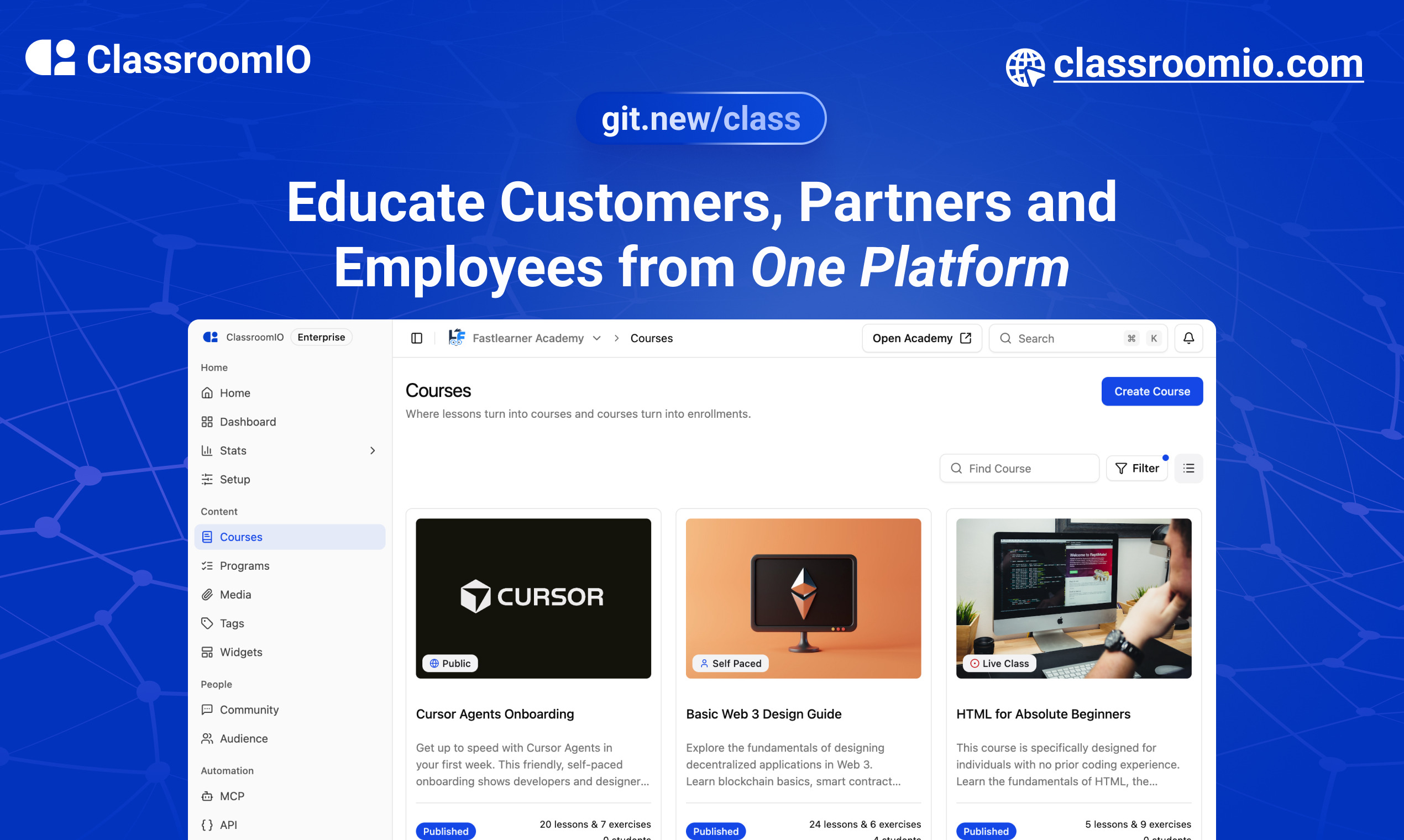
ClassroomIO
The Open Source Teaching Platform for Bootcamps
Website | Join Discord community
✨ About ClassroomIO
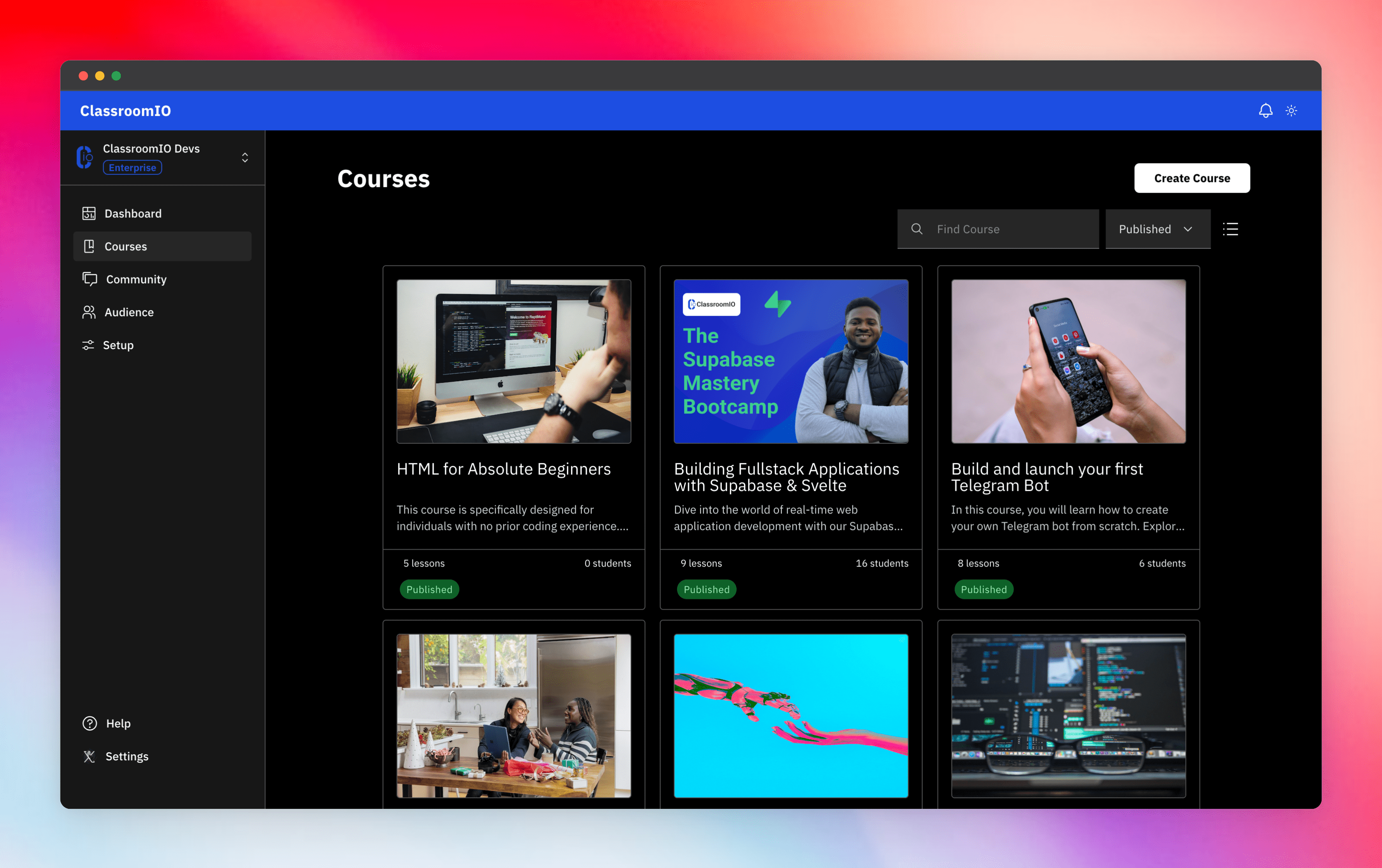
Streamline training for everyone with ClassroomIO.com. Our all-in-one platform empowers bootcamps, educators, and businesses to manage training programs easily. With our platform, anyone can run multiple classes and cohorts all from one UI. The application is mobile-first, which means that students can access your lesson materials from any device.
Mission: Provide Students with the best learning experience
At ClassroomIO, our mission is to provide students with the best possible learning experience. We believe in empowering educators with the tools they need to deliver high-quality education that is accessible, engaging, and effective.
Key Features
- 📚 Advanced Course Management: You can create unlimited courses, create lessons, invite students, add assignments, grade their assignments, and even generate certificates.
- 👨👩👦 Multi-Teacher Management: You can invite other teachers into your organization and assign them individual courses.
- 🤖 AI Integration: We've got OpenAI integration for quick course creation where you can generate course content, lesson outlines, and even generate assignments right from your lesson notes.
- 💬 Forum: Students can ask questions in your dedicated community and get answers from either you or other students.
- 🏆 Kahoot-Like Quiz: You can create live quizzes to create more engagement in your classrooms.
- 💻 Dedicated Student Dashboard: Once you create an account, you get a dedicated dashboard where your students can access all their courses, assignments, and more.
- 🔒 Fully open source: You can self-hostable the whole stack on your servers.
Roadmap Features
- Forms: Instead of using Google Forms to collect vital information from your students, you will be able to create forms directly within the dashboard.
- Course Announcement: You can make public announcements from the course dashboard to all your students.
- Course Templates: You can clone a full course or share templates with other people.
- Analytics: You can track data about your students across multiple courses.
- Run Courses on Messengers: Students can just join a channel on slack/discord/telegram and a bot automatically sends daily lesson content to your students without you doing anything.
Please reach out to me on twitter if you have any feature request.
Built With
Get a Demo
You can book a quick 15 min demo to see if ClassroomIO is a good fit for you

Getting Started
To get a local copy up and running, please follow these simple steps.
Prerequisites
Here is what you need to be able to run Cal.com.
Development
Setup
-
Clone the repo
git clone https://github.com/rotimi-best/classroomio.git -
Go to project folder
cd classroomio -
Setup Node If your Node version does not meet the project's requirements as instructed by the docs, "nvm" (Node Version Manager) allows using Node at the version required by the project:
nvm useYou first might need to install the specific version and then use it:
nvm install && nvm useYou can install nvm from here.
-
Set up your
.envfile- Duplicate
.env.exampleto.env
- Duplicate
-
Install the required dependencies
npm i -
Run (in development mode)
npm run dev
Related Repos
You can find other repos related to classroomio here:
- Help Docs: https://github.com/rotimi-best/classroomio.com/docs
- ClassroomIO.com: https://github.com/rotimi-best/classroomio.com