 Abdulmuizz HamzatandRotimi Best
6d594b4296
Abdulmuizz HamzatandRotimi Best
6d594b4296
* feat: enhance self-hosting support and CI/CD workflows

- Updated .env.example to clarify auth secret generation and self-hosting mode.
- Added CI workflow for build and lint checks on PRs and main branch pushes.
- Improved docker-publish workflow to trigger on relevant file changes and added multi-arch support.
- Enhanced upload-openapi-spec workflow with caching for dependencies.
- Removed obsolete Dockerfile for API service and added jobs worker to Docker setup.
- Updated self-host documentation to reflect new jobs worker requirement.
- Modified Dockerfiles for API and Dashboard to optimize dependency fetching and installation.
- Enhanced docker-compose.yaml with health checks and jobs worker configuration.
- Updated docker-push.sh to support multi-architecture builds and improved logging.
- Revised documentation for publishing images and self-hosting to include new features and requirements.

* feat(self-host): safe versioned releases + pull-based image pipeline

Builds on the pull-based images compose (docker-compose.images.yaml) to make
pulling pre-built images safe for self-hosters:

- docker-publish: stable-releases + edge tag policy. Git tag vX.Y.Z publishes
  X.Y.Z/X.Y/X/latest; a push to main publishes only :edge (latest never moves
  on a routine merge).
- Pre-publish smoke-test gate: each image is booted against ephemeral
  postgres+redis and healthchecked before any push (docker/smoke-test.sh).
- CIO_VERSION pinning in .env.example; run-docker-full-stack.sh --images flag
  to pull instead of build.
- Docs: SELF_HOST pull-from-images + versioning/upgrade/rollback sections,
  PUBLISHING_IMAGES tag policy + pnpm release flow, self-hosting.mdx quickstart.

* feat: enhance self-hosting support and CI/CD workflows

- Updated .env.example to clarify auth secret generation and self-hosting mode.
- Added CI workflow for build and lint checks on PRs and main branch pushes.
- Improved docker-publish workflow to trigger on relevant file changes and added multi-arch support.
- Enhanced upload-openapi-spec workflow with caching for dependencies.
- Removed obsolete Dockerfile for API service and added jobs worker to Docker setup.
- Updated self-host documentation to reflect new jobs worker requirement.
- Modified Dockerfiles for API and Dashboard to optimize dependency fetching and installation.
- Enhanced docker-compose.yaml with health checks and jobs worker configuration.
- Updated docker-push.sh to support multi-architecture builds and improved logging.
- Revised documentation for publishing images and self-hosting to include new features and requirements.

* ci: run build-only on PRs, defer lint until repo-wide format

* docs: point Railway template link at the new template URL

* fix: address Greptile review + dashboard CI build env

- docker-push.sh: only also-tag :latest for real semver releases, so
  VERSION=edge/main/dev can't clobber the stable latest pointer (P1).
- run-docker-full-stack.sh: stop deriving OBJECT_STORAGE_PUBLIC_ENDPOINT from
  the dashboard origin (broke presigned URLs for videos/documents buckets);
  derive only the public media base URL and document the S3-API route.
- ci.yml: provide PUBLIC_IS_SELFHOSTED at build time (dashboard reads it from
  SvelteKit's strict $env/static/public); bump cache actions v3 -> v4.
- upload-openapi-spec.yml: bump cache actions v3 -> v4.
- smoke-test.sh: dashboard gate now fails on 5xx instead of accepting any response.

* ci: scope PR build gate to the api + dashboard closures

Building every package surfaced pre-existing rot in apps that aren't part of
this PR (storybook's missing @lucide/svelte import, course-app prettier debt).
The gate's purpose is to verify the two Docker-image apps; the rest are built on
PRs by their own Cloudflare Workers builds. Filter to @cio/api... and
@cio/dashboard... so the gate covers exactly what it should.

* fix(docker-push): make latest_arg always return 0

Use an `if` instead of `is_release_version && printf` so the helper returns 0
even when it emits no tag. A non-zero return inside the $(latest_arg ...) build
argument is fragile under set -e (and would abort with inherit_errexit), which
would break the edge/main builds the policy explicitly supports.

* fix(docker): copy patches/ into jobs image so pnpm install resolves patchedDependencies

The jobs Dockerfile ran `pnpm install` without copying patches/, so pnpm
failed hashing package.json#pnpm.patchedDependencies (layerchart patch),
breaking the self-host full-stack build. api/dashboard already copy patches/.

Co-Authored-By: Claude Opus 4.8 <noreply@anthropic.com>

* fix(docker): build jobs worker deps in topological order

The jobs Dockerfile built workspace packages with a hand-written list that
omitted transitive deps (e.g. @cio/question-types, consumed by @cio/utils),
so `tsc` failed with TS2307 during the self-host build. Use the recursive
`pnpm -r --filter @cio/jobs-worker... build` like the api/dashboard images,
which builds the full dependency closure in the correct order.

* refactor(docker): move jobs Dockerfile to docker/Dockerfile.jobs and align dep install

Move apps/jobs/Dockerfile -> docker/Dockerfile.jobs so all three image recipes
live together in docker/, and update every reference (docker-compose.yaml,
docker-push.sh, docker-publish.yml, railway.jobs.json, self-hosting.mdx).

Also align its dependency install with the api/dashboard images: replace the
hand-maintained list of workspace package.json copies (which silently missed
transitive deps like @cio/core / @cio/ai-assistant, leaving their node_modules
uninstalled and breaking the build with TS2307) with the proven pnpm-fetch
pattern: fetch the full lockfile into a cached store, COPY . ., then an offline
filtered install of @cio/jobs-worker... This installs the complete dependency
closure regardless of how the workspace graph grows.

* refactor(docker): move docker-compose.yaml to repo root for Coolify compatibility

Coolify's Docker Compose build pack forces Base Directory to the repo root and
resolves build contexts from there, so the compose's `context: ..` (needed when
the file lived in docker/) climbed above the repo and failed with
`lstat /artifacts/docker: no such file or directory`.

Move docker/docker-compose.yaml -> ./docker-compose.yaml and change the build
contexts from `..` to `.` so the context is the repo root with no upward path.
This works identically for run-docker-full-stack.sh, manual `docker compose up`,
and Coolify. Dockerfiles stay referenced as docker/Dockerfile.*. Update the
references in run-docker-full-stack.sh and the docs accordingly. The images
compose (docker-compose.images.yaml) is unaffected (no build context) and stays
in docker/.

* Add self-hosting documentation for Coolify and Railway

- Created new documentation for deploying ClassroomIO on Coolify using a pull-based Docker Compose stack.
- Added comprehensive guide for self-hosting ClassroomIO with Docker, covering both pre-built images and building from source.
- Introduced a new meta.json file to organize self-hosting documentation pages.
- Developed a Railway deployment guide with environment variable configurations for API, dashboard, and jobs worker.
- Updated self-hosting blog post to link directly to the new Railway guide.
- Removed obsolete Railway configuration files (railway.api.json, railway.dashboard.json, railway.jobs.json).
- Enhanced run-docker-full-stack.sh script to improve MinIO credential generation and service readiness checks.
- Updated docker-compose files to enforce strong secret requirements for authentication.
- Adjusted self-hosting references in the Docker documentation to include new guides.

* fix(docker): point references at root-level docker-compose.images.yaml

The pull-based compose file moved to the repo root (alongside docker-compose.yaml).
Update IMAGES_COMPOSE_FILE in run-docker-full-stack.sh, the file's own header
example, and the docs (docker.mdx curl URL, coolify.mdx path + blob link,
SELF_HOST.md relative link + curl URL).

* fix(self-host): address review round 2 — drop unused AUTH_BEARER_TOKEN, pull-by-default, doc fixes

- Remove AUTH_BEARER_TOKEN everywhere (unused in app code; PRIVATE_SERVER_KEY is the real
  dashboard<->api key). Simplifies run-docker-full-stack.sh secret generation.
- run-docker-full-stack.sh now defaults to PULLING pre-built images; add --build for source.
- docs: recommend MinIO, 'a way' (not 'recommended way') to self-host, remove Direct API Access
  section, trim Common Commands, SMTP vars per-line, fix PRIVATE_SERVER_KEY wording.

* feat(db): versioned migrations for self-host with auto-baseline

- Regenerate a single clean baseline migration; db:setup now runs drizzle-kit migrate (not push).
- Add db:generate / db:migrate / db:baseline scripts.
- baselineMigrationsIfNeeded(): adopt an existing (push/supabase) schema into drizzle's journal so
  migrate won't try to recreate existing objects ("type/table already exists"). No-ops on fresh
  and already-tracked databases; runs automatically in db:setup before migrate.

* ci(openapi): drop stale ci.yml reference in turbo-cache comment

ci.yml was removed earlier in this review; the openapi workflow's turbo cache still
warms from its own prior runs via restore-keys, so this is a comment-only fix.

* fix(db): make baseline squash-safe for migrate-tracked databases

baselineMigrationsIfNeeded returned early whenever drizzle.__drizzle_migrations
had any rows. After a migration squash, an instance tracked under the old
journal (pre-squash hashes) would then let `drizzle-kit migrate` re-run the
consolidated baseline — whose journal `when` is newer than every old created_at
— and crash on `CREATE TYPE/TABLE "..." already exists` at startup.

Now, when history exists but the consolidated baseline hash is absent, insert
that hash (marking it already applied) so migrate skips it. Only the baseline
entry (idx 0) is reconciled, so genuinely pending future migrations still run.

Verified end-to-end against Postgres: reproduces the original crash, confirms
the fix no-ops migrate on a pre-squash DB, and confirms a later 0001 migration
still applies. Fresh-DB and already-adopted paths unchanged.

* fix(docker): add explicit id to pnpm-store cache mounts

Railway's Metal builder rejects BuildKit cache mounts that omit an
explicit id (it does not default id to target like standard Docker/
BuildKit do), failing the build at parse time with:

  dockerfile invalid: flag '--mount=type=cache,target=/pnpm/store'
  is missing an id argument

Add id=pnpm-store to all six cache mounts across the api, dashboard,
and jobs images. Harmless on Docker Desktop / CI / GitHub Actions, and
required for the Railway self-host build path.

* fix(docker): drop BuildKit cache mounts for Railway compatibility

Railway's builder rejects cache-mount ids not prefixed with its
per-service cacheKey, which can't be hardcoded in a Dockerfile shared
across CI, local Docker, and three Railway services. Remove the
--mount=type=cache flag (keep --store-dir /pnpm/store); the store is
baked into the fetch layer and reused by the offline install, so
behaviour is unchanged. Supersedes 9c4633f2c.

* fix(docker): force LF for shell scripts and Dockerfiles via .gitattributes

cio-api crash-looped on Railway with 'exec /app/entrypoint.sh: No such
file or directory' because the entrypoint shipped with CRLF endings
(Windows checkout, core.autocrlf=true) — the '#!/bin/sh\r' shebang is
unresolvable in the container. Add .gitattributes pinning *.sh and
Dockerfile* to LF so container-executed files are never CRLF regardless
of contributor OS.

* fix(db): serialize db-setup with an advisory lock to prevent baseline double-insert

Concurrent db:setup runs (e.g. multiple API replicas booting together) could both
pass the baseline 'already present?' check and insert duplicate rows into
drizzle.__drizzle_migrations, which has no unique constraint on hash. Wrap baseline
+ migrate in a pg_advisory_lock held on a dedicated connection so concurrent
startups serialize: the loser blocks, then sees the baseline applied and no-ops.

* docs(railway): update template deploy URL to classroomio-1

---------
Co-authored-by: Rotimi Best <best@classroomio.com>
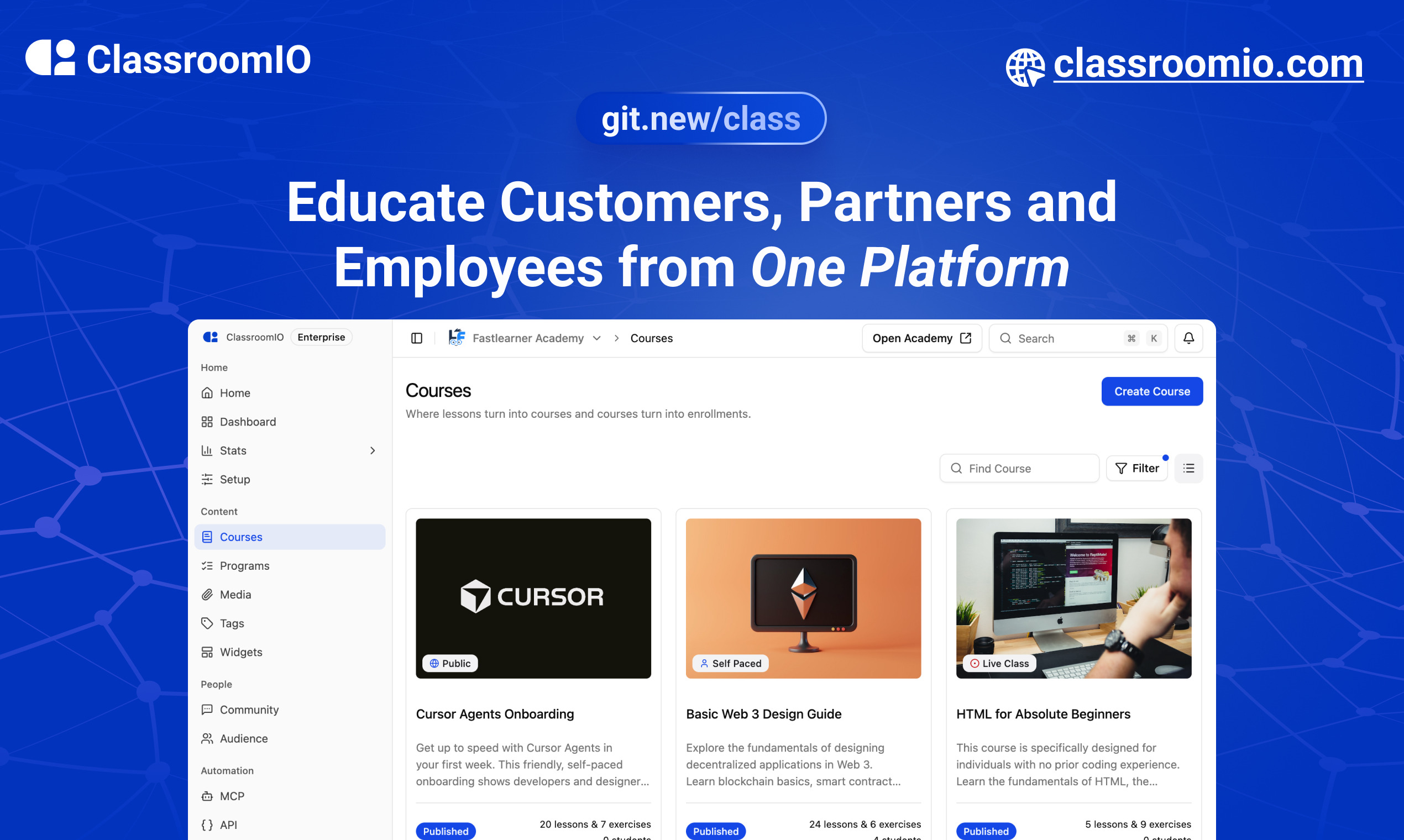
ClassroomIO.com
The Open Source Learning Management System for Companies
Website | Join Discord community
✨ About ClassroomIO.com
ClassroomIO is an open source LMS for companies. Run compliance/employee training, customer education, and partner certification programs — all from one platform. Self-host it on your own infrastructure or use the cloud version.
Who It's For
| Use Case | What You Get |
|---|---|
| Compliance Training | Deadline tracking, renewals & retake intervals, grace periods, waivers, certificates with custom IDs |
| Customer Education | Branded academy portal, programs (cohorts with goals), AI lesson tutor, multilingual content |
| Partner Training | Partner workspaces, branded certificates, custom domains, embeddable widgets, multilingual support |
Key Features
Course & Content
- Course management — unlimited courses, lessons, exercises, grading, and certificates
- Programs — group courses into cohorts with goals, team management, and progress tracking
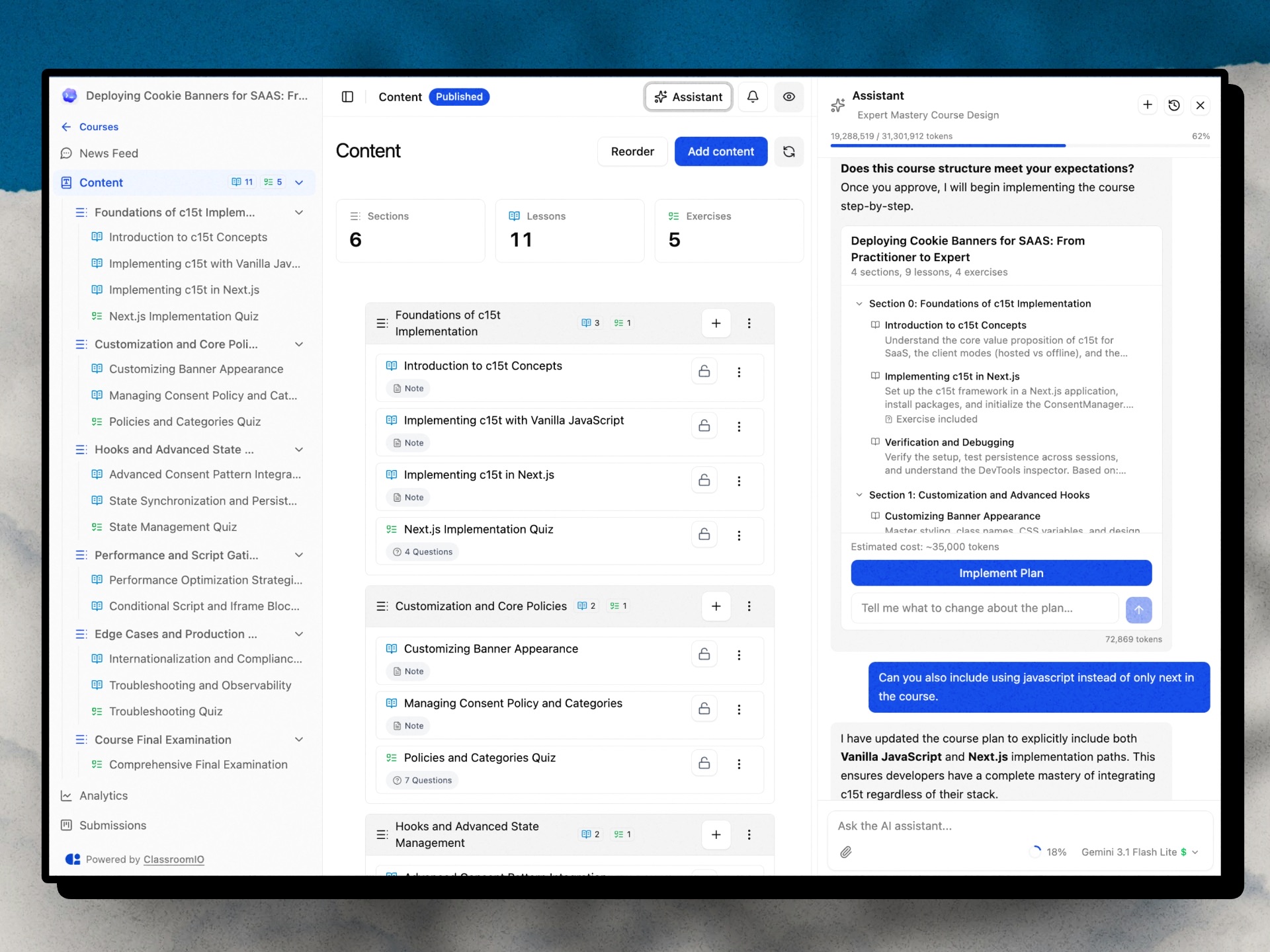
- AI Course Builder — generate outlines, lesson content, and assignments (Gemini, GPT-4o, Claude)
- AI Lesson Tutor — in-lesson AI assistant that helps learners as they study
Compliance & Certification
- Compliance tracking — status, deadlines, grace periods, renewals, and waivers
- Certificates — issue branded certificates with custom IDs
Learner & Org Experience
- Multi-org & multi-teacher — invite teachers, assign courses, manage multiple organizations
- Student dashboard — learners access all courses, assignments, and progress in one place
- Multilingual — deliver content in 10+ languages
Integrations & Developer Tools
- REST API + Webhooks — enroll users, trigger automations, receive events (
certificate.issued,enrollment.completed, and more) - MCP server —
@classroomio/mcpon npm for AI-native integrations - Embeddable widget — embed your course catalog on any website
Platform
- Fully open source — self-host the entire stack on your own servers
For what's coming next, see the public roadmap.
Built With
Get a Demo
You can book a quick 15 min demo to see if ClassroomIO is a good fit for you

Getting Started
To get a local copy up and running, please follow these simple steps.
Prerequisites
Here is what you need to be able to run ClassroomIO.com
- Node.js (Version: >=20.19.3) — required
- pnpm (v10) — required; the package scripts call
pnpmdirectly, so npm/yarn are not substitutes - Docker — required; runs Postgres + Redis (no local install of those needed)
Project Structure
This repo is a monorepo that consists of these primary apps:
website: The landing page of ClassroomIO hosted hereapi: The api service that handles PDF, video processing, Emailing and Notifications.dashboard: The web application that runs the learning management system hosted here.docs: Official documentation of ClassroomIO hosted here
The repository also contains shared packages under packages/ (for example packages/db, packages/utils, and packages/ui).
Development
Local Setup
Before you start: make sure pnpm and Docker are installed (see Prerequisites). New to the project? Read
DEV_SETUP_NOTES.mdfirst — it's a full step-by-step walkthrough with a troubleshooting reference for the errors you're likely to hit.
-
Fork the repo, then clone it:
git clone https://github.com/classroomio/classroomio.git -
Go to project folder:
cd classroomio -
Set up Node (using
nvm):nvm useYou first might need to install the specific version and then use it:
nvm install && nvm useYou can install nvm from here.
-
Install dependencies:
pnpm i -
Set up your
.envfiles:Each app reads its own
.env. Inapps/apiandapps/dashboard, duplicate.env.exampleto.envand fill the values below (host ports). The secret values are placeholders — generate each one withopenssl rand -hex 32rather than copying the example text. The twoPRIVATE_SERVER_KEYvalues must match — they authenticate the dashboard's server-to-server calls to the API, so generate it once and paste the same value into both files.-
apps/api/.env:DATABASE_URL="postgresql://postgres:postgres@localhost:5432/classroomio" REDIS_URL="redis://localhost:6379" PUBLIC_SERVER_URL="http://localhost:3002" TRUSTED_ORIGINS="http://localhost:5173" # the dashboard dev origin BETTER_AUTH_SECRET="<generate-with-openssl-rand-hex-32>" PRIVATE_SERVER_KEY="<generate-with-openssl-rand-hex-32>" # generate once; use the SAME value in the dashboard DASHBOARD_ORIGIN="http://localhost:5173" # optional; used for invite/email links back to the dashboard -
apps/dashboard/.env:PUBLIC_SERVER_URL="http://localhost:3002" PRIVATE_SERVER_URL="http://localhost:3002" # used by the SSR auth proxy — required, or login returns "API upstream not configured" PRIVATE_SERVER_KEY="<generate-with-openssl-rand-hex-32>" # must match the API (paste the value generated above) PUBLIC_IS_SELFHOSTED=true -
Running the background workers? Also create
apps/jobs/.env(e.g.cp apps/api/.env apps/jobs/.env); it needsREDIS_URL. Thepackages/db/.envused by the DB scripts is set up in step 6. -
Optional for self-hosted Enterprise-only features (SSO, token-auth, no-tracking): set
LICENSE_KEYinapps/api/.env.
-
-
Start local infrastructure for API (Postgres + Redis) and seed the DB:
docker compose -f docker-compose.yaml up -d postgres redis cp packages/db/.env.example packages/db/.env # one-time (Windows: Copy-Item) pnpm --filter @cio/db db:setup:seed- Connect with
DATABASE_URL=postgresql://postgres:postgres@localhost:5432/classroomio - Connect with
REDIS_URL=redis://localhost:6379 db:setup:seedcreates the schema and seeds demo data once Postgres is up. The db scripts run with their own working directory, so they readDATABASE_URLfrompackages/db/.env(notapps/api/.env).
- Connect with
-
(Optional) Start MinIO locally for object storage (media/documents):
docker compose -f docker-compose.yaml --profile minio up -d minio minio-init- Console: http://localhost:9001 (user/pass default
minioadmin/minioadmin) - S3 endpoint: http://localhost:9000
- Buckets created by
minio-init:videos,documents,media - Add to
apps/api/.envwhen using MinIO locally:OBJECT_STORAGE_ENDPOINT=http://localhost:9000OBJECT_STORAGE_PUBLIC_ENDPOINT=http://localhost:9000OBJECT_STORAGE_ACCESS_KEY_ID=minioadminOBJECT_STORAGE_SECRET_ACCESS_KEY=minioadminOBJECT_STORAGE_FORCE_PATH_STYLE=trueOBJECT_STORAGE_MEDIA_PUBLIC_BASE_URL=http://localhost:9000/media
- Console: http://localhost:9001 (user/pass default
-
Run the local app services in separate terminals:
pnpm api:devpnpm dashboard:dev- If you see
Failed to resolve entry for package "@cio/...", the shared workspace packages haven't been built yet (theirdist/is missing). Build them once withpnpm build, then re-run the dev commands.
- If you see
-
Default local URLs:
api: http://localhost:3002dashboard: http://localhost:5173
-
Optional: run other apps:
- website:
pnpm website:dev - docs:
pnpm dev --filter=@cio/docs
-
Login into
dashboard:- Visit http://localhost:5173/login
- Enter email:
admin@test.com - Enter password:
123456
To learn more about how to login with a dummy account, go here.
Enabling the AI Course Assistant
The in-course AI chat (course authoring, plan generation, lesson edits) is disabled by default. Enable it by setting at least one provider API key in apps/api/.env (or the root .env for the Docker stack):
# Pick one or more — the dashboard model picker exposes Gemini 2.5 Flash and GPT-4o.
OPENAI_API_KEY=sk-...        # enables GPT-4o
GOOGLE_API_KEY=AIza...       # enables Gemini 2.5 Flash (default model in the picker)
ANTHROPIC_API_KEY=sk-ant-... # supported in code; not currently in the picker UI
Notes:
- The
GET /agent/statusendpoint flips toenabled: trueas soon as any of those keys is set, which is what the dashboard checks before showing the AI button on a course. - Each chat request sends the user-selected
model(persisted inlocalStorageasclassroomio-ai-chat-model). The API resolves the provider for that model (packages/utils/src/agent-models) and returns 503AI_NOT_CONFIGUREDif that provider's key is missing. - Optional Tinybird observability: set
TINYBIRD_TOKEN(and optionallyTINYBIRD_BASE_URL) inapps/api/.env. Events are silently skipped when the token is absent. - More detail on architecture, tools, and routes lives in
prd/ai-course-assistant [DONE]/README.md.
Docker Compose (Full Stack)
cp .env.example .env   # copy env template, edit for your domain
./run-docker-full-stack.sh
The script reads root .env via docker compose --env-file .env and auto-generates a secure PRIVATE_SERVER_KEY (and BETTER_AUTH_SECRET) when missing.
See .env.example for the full list of environment variables with required/optional grouping, and docker/docs/SELF_HOST.md for the complete Docker self-hosting guide.
Publishing
When cutting releases for hosted assets or the npm MCP package, run:
- Storybook —
pnpm --filter @cio/storybook storybook:publish - Course widget embed —
pnpm --filter @cio/embeds embeds:publish - Question type picker —
pnpm --filter @cio/embeds embeds:publish(same script builds and uploads both embeds) - MCP (
@classroomio/mcp) — bump the version inpackages/mcp/package.json, thenpnpm mcp:buildandpnpm --filter @classroomio/mcp publish