 9c066c79be
* checkpoint

* checkpoint

* feat: Create free tools page

* responsiveness fix

* rename free-tools to tools

* add slug

* feat: Random name picker

* quick fix

* PR Fixes

* PR Fixes

* - adjustments

* update env example

* remove base url

* remove base url in .env.example

* fix type errors

* add og images

* add signup cta to /tools layout

* update cta

* add socials avatar

* add meta tags

* feat: tic tac toe (#307)

* Feat: tic tac toe

* PR Adjustments

* feat: Implement Timed Activity Tool (#316)

* chore: update verification email content

* chore: landing page improvements

* feat: grade exercise with AI (#296)

* working on the UI of the grading

* working on the grading function of the radio and checkboxes

* ai grading fully implemented with dummy functions for generating scores

* working on the openai response

* working on the openai response

* finished with the ai_grading

* finished with the ai_grading

* creating new migration file

* working on reviews

* updated the translations

* improvements

---------

Co-authored-by: Rotimi Best <best@classroomio.com>

* feat: selfhost tinymce

* fix: logo resolution error in manifest.json

* feat: move from gpt3.5 to gpt-4o

* feat: customize the LMS from dashboard (#304)

* Done with the customization of the LMS task

* generated custom_lms migration file

* updated the migration file

* copy improvements

* update wording

* made updates based on reviews,i hope i didnt miss anything

* updated the translations and migration files

* refactoring

* disabled improvements for apps

* more improvements

* more custom improvements

* pr refactoring

---------

Co-authored-by: Rotimi Best <best@classroomio.com>

* fix: CustomizeLMS not found

* fix: CustomizeLms wrong path

* setup

* docs: update short hero tagline

* debug: courses not showing on vercel

* more debugging

* i think this fixes it

* fix: phew, clean up debug cause it works

* fix: move RBS into coursecontainer on marks page

* chore: cleaner way to implement redirect if role permission denied

* docs: update tagline

* fix: delete /org/# route

* checkpoint

* add reusable header component

* fix: empty lesson title bug (#314)

* finished the lesson title bug

* made chnages based on review

* Update +page.svelte

---------

Co-authored-by: Rotimi Best <best@classroomio.com>

* feat: add sound cdn

* remove console.log

* feat: course types - self paced and live class (#309)

* working on the course type

* trying to mark it persist

* almost done here

* fixed sendig emtpy options bug

* created migration file

* created migration file

* made updates based on PR review

* merge

* update course type card

* add redirect logic with classroomio.com/new

* make new course modal only open/close with url

* feat: page active state (#315)

* finished the active link state

* updated the active link state based on review

* simplify code

---------

Co-authored-by: Rotimi Best <best@classroomio.com>

* add type to course card

---------

Co-authored-by: Rotimi Best <best@classroomio.com>

* general improvements to free tools

* fix timer and styling issues

---------

Co-authored-by: Rotimi Best <best@classroomio.com>
Co-authored-by: Em_Dev <Chifez1@gmail.com>

* update tagline for tools page

* feat: Add Free Section to Landing Page (#332)

* feat: Add Free Section to Landing Page

* PR Fixes

* refactor

* PR Fixes

* restructure

* improve cursor UX

---------

Co-authored-by: Rotimi Best <best@classroomio.com>

* feat: Progress Report Tool (#329)

* checkpoint

* fix: corrections

* finalization

* improve ux of progress tool

* more styling improvements

* PR Fixes

* PR Fixes

* fix: mood bg on report

* fix: generate exercise with AI bug (#331)

* fix: enable lesson cascade delete (#335)

* styling improvements

* chore: hide course grading toggle in settings (#338)

* feat: reset select in community page (#339)

* Feat: Add Reset for comminity dropdown

* - add translation

* refactor

---------

Co-authored-by: Rotimi Best <best@classroomio.com>

* fix: prevent hypen at start or end of organzation or domain name (#340)

* fix: adding hypen to start or end of org or domain name

* fix: add org name validation to settings page

* chore: remove unnecessary variable use

* chore: remove error reset function

* Update OrgSettings.svelte

---------

Co-authored-by: Rotimi Best <best@classroomio.com>

* fix: full screen

* fix: pnpm version error & add top level .nvmrc (#343)

* update name of tool

* chore: add translations for validation messages (#345)

* chore: add validation texts to locale file

* feat: switch all validations from plain text to use i18n locale

* feat: switch review form validations from plain text to use locale file

* run translation script

* chore: add translations for validation messages (#345) (#347)

* chore: add translations for validation messages (#345)

* chore: add validation texts to locale file

* feat: switch all validations from plain text to use i18n locale

* feat: switch review form validations from plain text to use locale file

* run translation script

---------

Co-authored-by: Iniubong Obonguko <iniubongobonguko2018@gmail.com>

* PR Fixes

* Bug fixes on mobile

* Final bug fix

* code improvements

* PR Fixes

* Merge Fix

* PR Fixes

* fix: width

* code cleanup

* feat: Promodo Tool (tracks tim spent)

* feat: Pomodoro timer (without tracking feature)

* fix:
- change pause functionality to next
- correct spelling of pomodoro

* fix: pomodoro logo rename

* styling improvements

---------

Co-authored-by: Rotimi Best <best@classroomio.com>
Co-authored-by: Em_Dev <Chifez1@gmail.com>
Co-authored-by: Iniubong Obonguko <iniubongobonguko2018+github@gmail.com>
Co-authored-by: Iniubong Obonguko <iniubongobonguko2018@gmail.com>
Co-authored-by: Aditya Deshlahre <132184385+adityadeshlahre@users.noreply.github.com>

* feat: Implement Bottom menu (#341)

* popup logic done

* popup UI first phase done

* finished the menupop up for both lms and admin

* finished the menupop up for both lms and admin

* done

* cleanup

* fixed popover position

* still working on the routing

* i think that is it for the day

* updated the menupopup currentorgdomain

* rename popup to bottomMenu

* refactoring

---------

Co-authored-by: Rotimi Best <best@classroomio.com>

* remove logout

* change tagline

* feat: Store todolist to localStorage (#375)

* feat: Save todo to localStorage

* remove fly animation to todos

* feat:  Progress Report avatar update (#376)

* feat: Reorder Avatar list

* quick fix

* change avatar url

* more improvements

* quick background fix

* fix: white background

* body background fix

* update lock

---------

Co-authored-by: Rotimi Best <best@classroomio.com>
Co-authored-by: Em_Dev <Chifez1@gmail.com>
Co-authored-by: Iniubong Obonguko <iniubongobonguko2018+github@gmail.com>
Co-authored-by: Iniubong Obonguko <iniubongobonguko2018@gmail.com>
Co-authored-by: Aditya Deshlahre <132184385+adityadeshlahre@users.noreply.github.com>
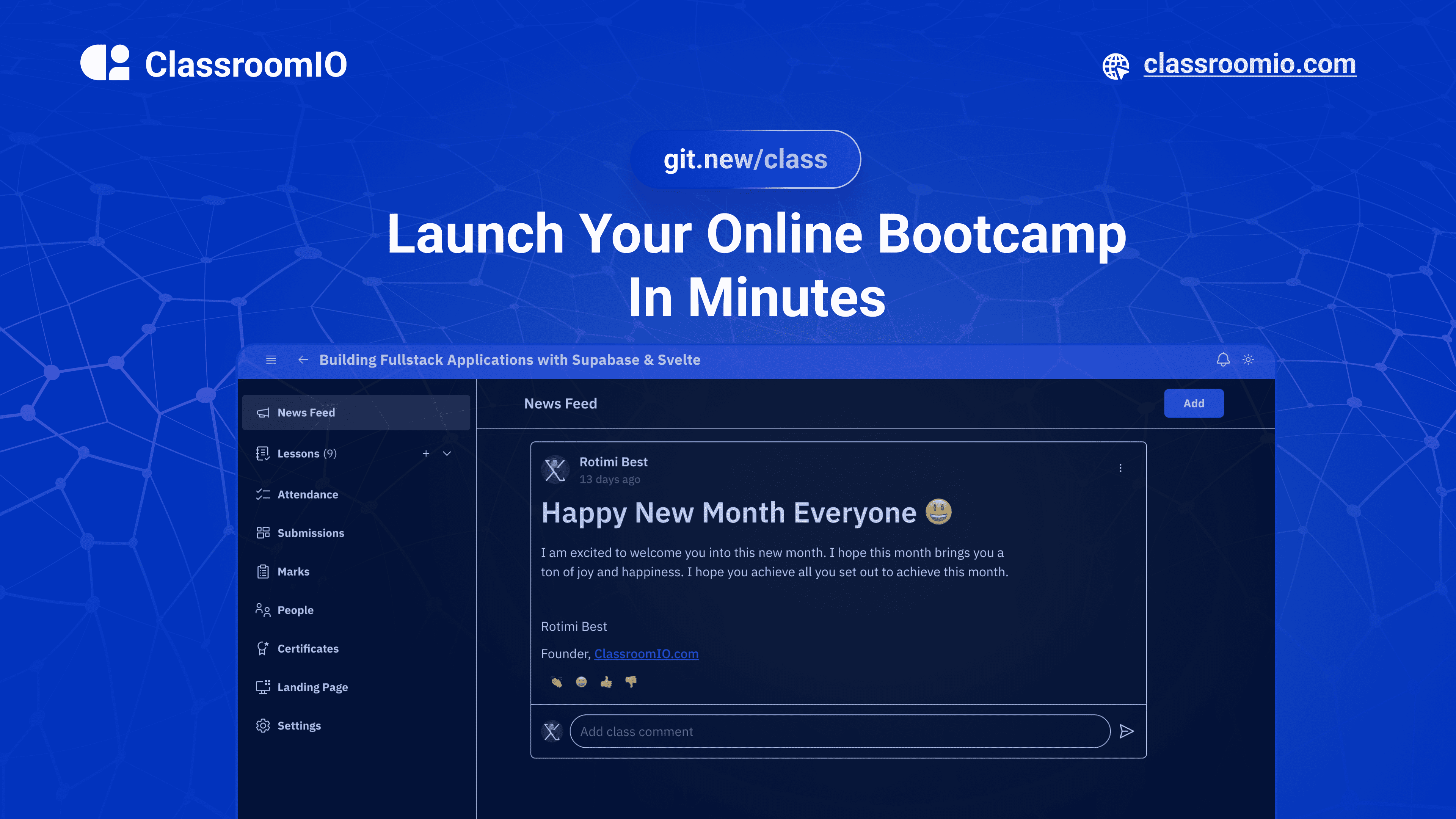
ClassroomIO.com
Launch Your Online Bootcamp In Minutes
Website | Join Discord community
✨ About ClassroomIO.com
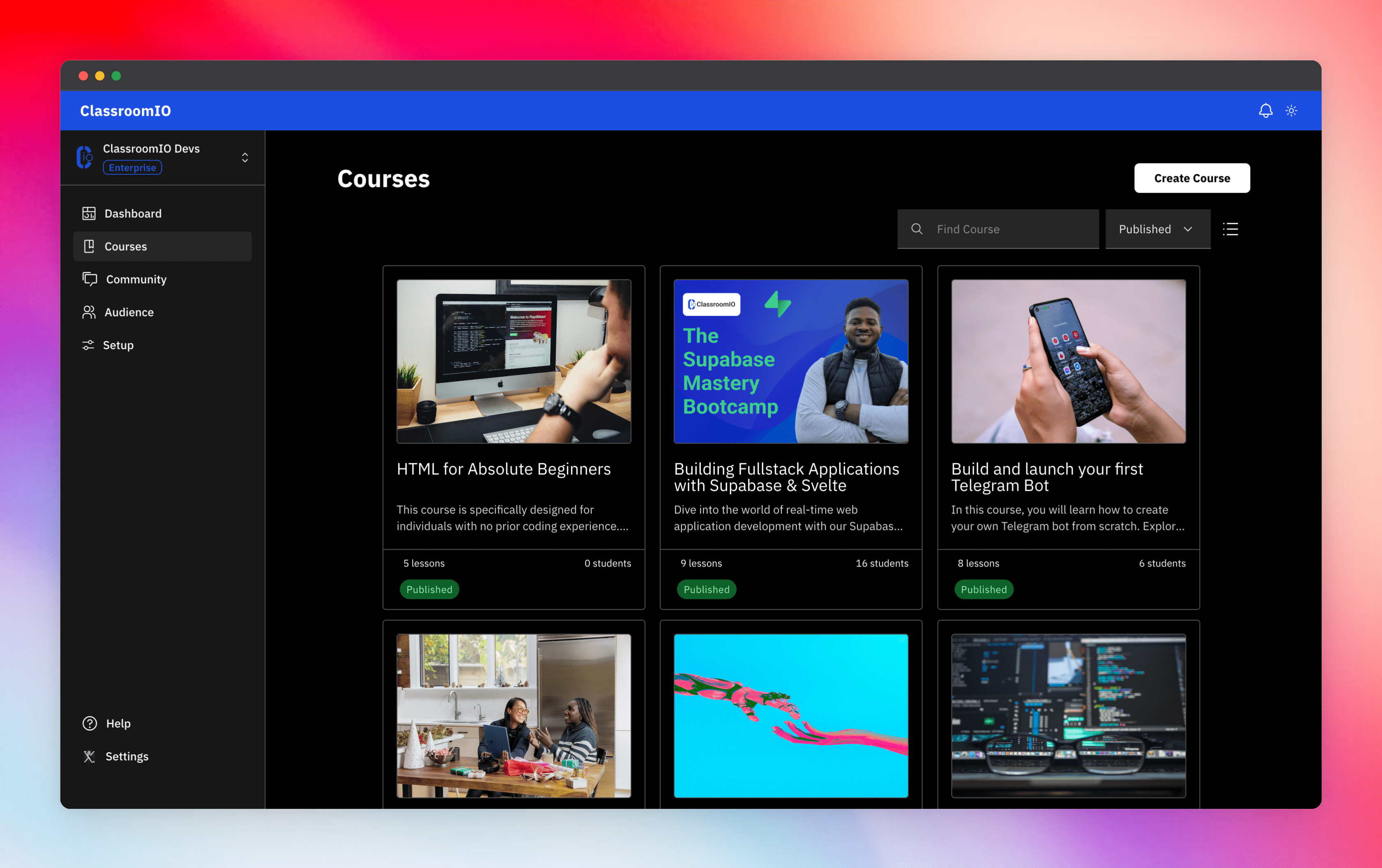
Streamline training for everyone with ClassroomIO.com. Our all-in-one platform empowers bootcamps, educators, and businesses to manage training programs easily. With our platform, anyone can run multiple classes and cohorts all from one UI. The application is mobile-first, which means that students can access your lesson materials from any device.
Mission: Provide Students with the Best Learning Experience
At ClassroomIO, our mission is to provide students with the best possible learning experience. We believe in empowering educators with the tools they need to deliver high-quality education that is accessible, engaging, and effective.
Key Features
- 📚 Advanced Course Management: You can create unlimited courses, create lessons, invite students, add assignments, grade their assignments, and even generate certificates.
- 👨👩👦 Multi-Teacher Management: You can invite other teachers into your organization and assign them individual courses.
- 🤖 AI Integration: We've got OpenAI integration for quick course creation where you can generate course content, lesson outlines, and even generate assignments right from your lesson notes.
- 💬 Forum: Students can ask questions in your dedicated community and get answers from either you or other students.
- 🏆 Kahoot-Like Quiz: You can create live quizzes to create more engagement in your classrooms.
- 💻 Dedicated Student Dashboard: Once you create an account, you get a dedicated dashboard where your students can access all their courses, assignments, and more.
- 🔒 Fully open source: You can self-host the entire stack on your servers.
Roadmap Features
- Forms: Instead of using Google Forms to collect vital information from your students, you will be able to create forms directly within the dashboard.
- Course Templates: You can clone a full course or share templates with other people.
- Analytics: You can track data about your students across multiple courses.
- Run Courses on Messengers: Students can just join a channel on slack/discord/telegram and a bot automatically sends daily lesson content to your students without you doing anything.
Please reach out to me on twitter if you have any feature request.
Built With
Get a Demo
You can book a quick 15 min demo to see if ClassroomIO is a good fit for you

Getting Started
To get a local copy up and running, please follow these simple steps.
Prerequisites
Here is what you need to be able to run ClassroomIO.com
- Node.js (Version: >=18.x)
- Supabase CLI
- Docker
- NPM
Project Structure
This repo is a mono repo that consists of 3 projects:
classroomio-com: The landing page of ClassroomIO hosted herebackend: The backend service that handles PDF, video processing, Emailing and Notifications.dashboard: The web application that runs the learning management system hosted here.docs: Official documentation of ClassroomIO hosted here
Development
Gitpod Setup
-
Click the button below to open this project in Gitpod.
-
This will open a fully configured workspace in your browser with all the necessary dependencies already installed.

Local Setup
-
Fork the repo, then clone it using the following command (remember to replace the url with the url from your forked repo)
git clone https://github.com/rotimi-best/classroomio.git -
Go to project folder
cd classroomio -
Set up Node if your Node version does not meet the project's requirements, as instructed by the documentation., "nvm" (Node Version Manager) allows using Node at the version required by the project:
nvm useYou first might need to install the specific version and then use it:
nvm install && nvm useYou can install nvm from here.
You also need to have pnpm installed, you can find the installation guide here
-
Set up your
.envfile- Go to
apps/classroomio-com,apps/dashboardandapps/backend. - Duplicate the
.env.examplefile and rename it to.env - Populate your .env files with the neccessary variables
- Go to
To get the environmental variables for supabase continue to step(5)
-
Install all dependencies
pnpm i -
Setup Supabase.
-
Install and Start docker
-
Go to the project directory in your terminal and start Supabase
pnpm supabase start -
You should get a result like this
supabase local development setup is running. API URL: http://127.0.0.1:54321 GraphQL URL: http://127.0.0.1:54321/graphql/v1 DB URL: postgresql://postgres:postgres@127.0.0.1:54322/postgres Studio URL: http://127.0.0.1:54323 Inbucket URL: http://127.0.0.1:54324 JWT secret: super-secret-jwt-token-with-at-least-32-characters-long anon key: eyJhbGciOiJIUzI1NiIsInR5cCI6IkpXVCJ9.eyJpc3MiOiJzdXBhYmFzZS1kZW1vIiwicm9sZSI6ImFub24iLCJleHAiOjE5ODM4MTI5OTZ9.CRXP1A7WOeoJeXxjNni43kdQwgnWNReilDMblYTn_I0 service_role key: eyJhbGciOiJIUzI1NiIsInR5cCI6IkpXVCJ9.eyJpc3MiOiJzdXBhYmFzZS1kZW1vIiwicm9sZSI6InNlcnZpY2Vfcm9sZSIsImV4cCI6MTk4MzgxMjk5Nn0.EGIM96RAZx35lJzdJsyH-qQwv8Hdp7fsn3W0YpN81IU -
Add Supabase environment variables into
app/dashboardfolder, which should be taken from the result ofpnpm supabase startPUBLIC_SUPABASE_URL=<API URL> PUBLIC_SUPABASE_ANON_KEY=<anon key> PRIVATE_SUPABASE_SERVICE_ROLE=<service_role key> -
To view the Supabase studio, open the Studio URL from the result of
pnpm supabase start
-
-
Run all projects (in development mode)
pnpm dev -
All projects should start running
classroomio-com: http://localhost:5173backend: http://localhost:3002dashboard: http://localhost:5174docs: http://localhost:3000
-
Running a specific project
- classroomio-com:
pnpm dev --filter=classroomio-com - backend:
pnpm dev --filter=backend - dashboard:
pnpm dev --filter=dashboard - docs:
pnpm dev --filter=docs
- classroomio-com:
-
Login into
dashboard- Visit http://localhost:5173/login
- Enter email:
admin@test.com - Enter password:
123456
To learn more about how to login with a dummy account, go here.